Smart Money Structure
Market structure and liquidity, with every BOS and CHoCH marked on the chart.
Learn moreMarketStructureLab
Entry, stop, target, and risk in one TradingView workspace. MSL is built for traders who want a clear decision-making system: where to enter, where to exit, and how to protect the trade.
Market structure
Result
+2.45R
Potential
68%
Winning trades
#SYSTEM
Most indicators show only separate fragments of the market. MSL brings direction, momentum, key zones, entry, stop, target, and risk together in one TradingView workspace. Instead of a dozen scattered signals, you see one clear trade scenario.
No need to build a setup from dozens of indicators that contradict each other. MSL keeps only what helps you understand the market and make a decision.
Direction, momentum, structure, and key zones combine into a connected price scenario.
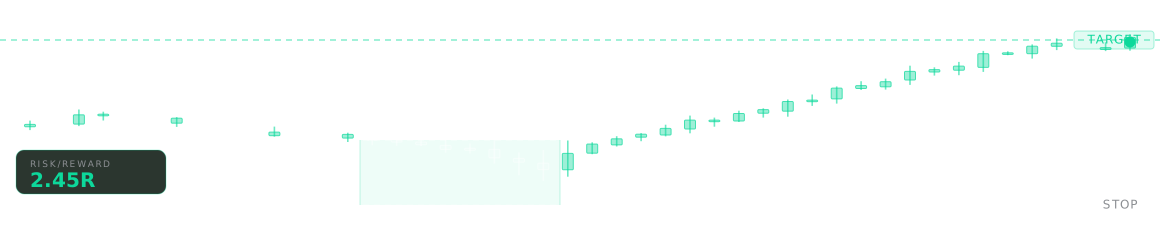
Entry, stop, target, and risk are visible before you open a position. You know where to enter, where to limit risk, and where to take profit.
When signals combine into one system, the next step is easier to see: enter, wait for confirmation, or calmly skip the move.
#pricing
Start helps you read the market by showing structure, momentum, entry points, and crypto liquidation zones. Pro includes everything in Start and adds trade-management tools: signals, stop loss, targets, position management, and clear risk before you enter a trade.
Start
Pro
Start includes four tools. Pro includes all eight: the Start four plus the four signal tools. Card payments work today, and crypto is coming soon. Cancel renewals anytime in the Stripe Customer Portal.
#how
Three steps from payment to access in TradingView.
01
Choose Start or Pro and a payment method that suits you. After payment we begin setting up your indicator access.
02
Your TradingView username is added to the selected indicators. Access usually opens within a couple of hours, and never later than 24.
03
Once access is active, you get a confirmation and can add the indicators to your chart in TradingView. From there you work with the system right on your own charts.
#indicators
Eight tools built on the same color logic and label set, so the structure read and the trade signals sit on one chart without clashing. Each indicator has its own page with the long description, a configuration walkthrough, and an interactive demo.
Market structure and liquidity, with every BOS and CHoCH marked on the chart.
Learn moreRSI with channels and divergences across timeframes for entry timing.
Learn moreImpulse strength with ten moving-average engines.
Learn moreLiquidation and volume-spike radar for crypto.
Learn moreRe-anchoring ATR channel that maps entry, stop, and three targets, then trails the stop after TP1.
Learn moreA moving average wrapped by an ATR trail, with two live targets and painted candles.
Learn moreStructure-break entries managed by a dynamic ATR trailing stop.
Learn moreAdaptive-rail BUY and SELL signals with entry, stop, and three targets, plus a breakeven stop after TP1.
Learn more#community
An English-language Discord server is on the way. Until it opens, indicator questions go to support@marketstructurelab.com.
Discord
Open channels for crypto, forex, and indices, plus a paid-only section with indicator support and a weekly chart walkthrough.
Coming soonOur Discord will be the only place with a paid MSL section. If someone sells you access to an MSL group anywhere else, it is not us.
#faq
The questions we get most often. If yours is missing, write to support@marketstructurelab.com.
All sales are final. We do not issue refunds, full or partial. Cancellation through support stops future renewals; it does not return money already paid. EU and UK customers retain non-waivable statutory rights under consumer law. Full policy at /legal/refund.
Usually within 24 hours of payment, and often faster. An operator manually adds your TradingView username to each indicator in your package, then sends you an access-granted email.
Create a free TradingView account first, then come back to checkout and enter your exact username. Indicator access is bound to that specific account. You can register through our TradingView partner link.
Create your TradingView accountYes, via support, and not more than once per 30 days during an active subscription. Each username change costs the operator a manual re-grant on every indicator. Write to support@marketstructurelab.com if you really need it.
Crypto payments are coming soon. Each one will be a one-time charge for 30 days of access, since blockchains have no auto-renewal. We will email you 7 days and 1 day before expiry, and each reminder carries a one-click renewal link. You get the same indicators as with a card.
Anything TradingView covers: crypto, forex, futures, equities, and indices. The indicators read price and volume; they do not care about the symbol. Volume-based features are only as good as the volume data the exchange sends to TradingView.
Open the Stripe Customer Portal link in any of our emails and cancel there. Your access stays active until the end of the paid period. Once crypto payments launch, there will be nothing to cancel: access ends 30 days after payment unless you renew.
Stripe Tax adds your local VAT at checkout, so you pay the plan price plus VAT. The checkbox you tick at checkout also waives the 14-day EU right of withdrawal for digital content; our Refund policy has the full wording.
#cta
All eight indicators, billed monthly. Cancel renewals whenever you want.
Get Pro access